watermarker iphone app

Watermarker

1-31-2013 update VERSION 1.2

  • Added better watermark management (deleting/renaming)
  • Screen support iPhone 5
  • watermark opacity control
app iconAppjuice.com brings you a great new app: "Watermarker" , an app that allows you to brand or watermark your video's whether you use an image / logo or a spiffy line of text: Watermarker will do it fast and good. You have precise control over where and how large your logo/text will appear.

available on the appstore

Features

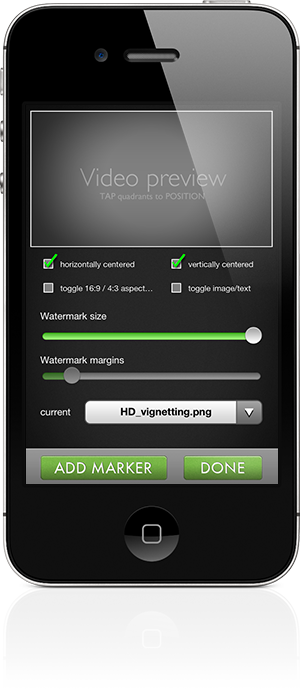
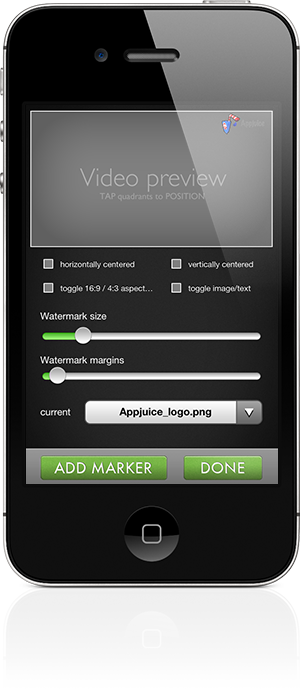
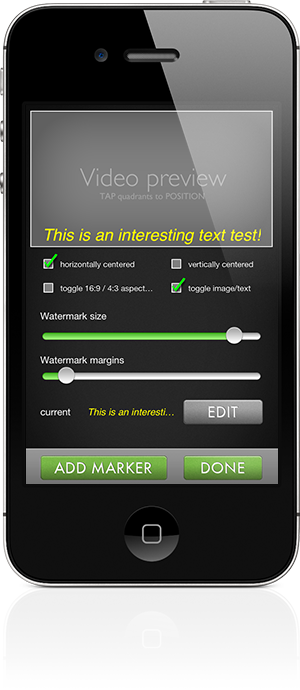
  • touch to position roughly in top left top right bottom left bottom right position. Fine tune with margin and size sliders
  • adjustable watermark size. Definition is relative to video width, going from small to 100%
  • optionally locakable centered position, centered horizontal position
  • slider adjustable margins
  • slider adjustable opacity/alpha
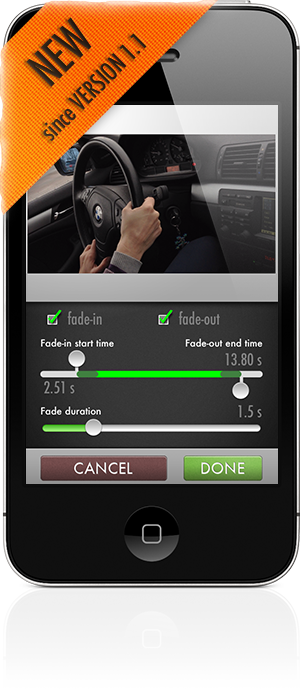
  • optional fading in/out in- and outpoint and duration are settable


specifically text mode:
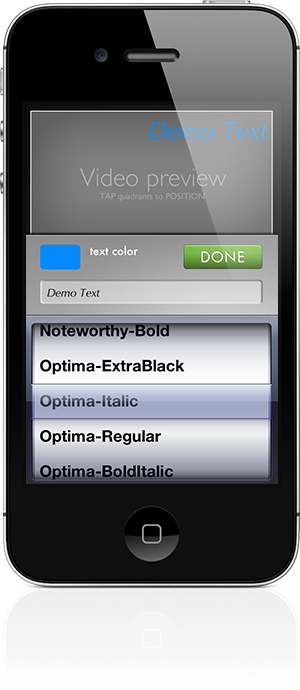
  • choose from all installed fonts on the iPhone/iPod.(Currently over 160 faces, 59 families)
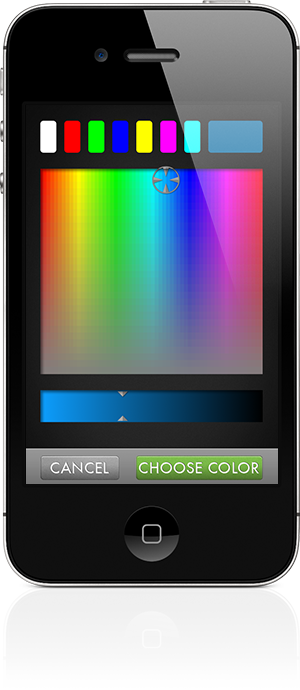
  • choose any colour for your text
  • sizing text works as mentioned before, it's dependant on textlength and setting it fullsize (100%) means it spans across the whole video


specifically image mode:
  • images used as watermarks can be any png/jpeg from the photoroll. To get transparant pngs into your roll use email right now (email a png to yourself and save it to the photoroll) or save it from a website in mobile safari (try for instance the blue watermarker icon on this website).
  • some sample images are included to get you started. Just be creative, use it for vignetting, texturing or branding
  • Compatible with iPhone 5, iPhone 4s, iPhone 4, iPhone 3Gs, and iPod 4th gen


Tutorials / help

controls_screenIf you've bought Watermarker and have some questions regarding as to how to use it, please take a look at our tutorial video here. I've decided for this app to leave the tutorials out of the app, to save on download size and create the meanest & leanest experience possible.


Watch the Watermarker app Demo video here
Watch other examples of Watermarker output here and here

Credits

Watermarker is an Appjuice product, it's the fifth production on our own label.

  • Graphics created by Jeroen van Goor
  • Programming: Jeroen van Goor
  • Beta testing: Johan ten Broeke
Appjuice is an initiative of fullscreen.nl

appjuice.com logo

Contact us

Remarks/Suggestions/help
If you're using Watermarker for your video footage and have any ideas/remarks that might improve our application in any way or you need some kind of help, feel free to contact us: feedback


Reviews

Only one written review so far:

Perfect - 5 stars
<br/>by WindyCitySox - Version 1.0 - Mar 31, 2012
<br/>Does what it says it does. The only thing I don't like is if you use a low quality video, the watermark is low quality. My favorite watermarking app. Very useful.
 

Even though there is no facility to discuss with the customers, I would like to respond to this remark about low quality. There is basically no way you can get a hires watermark on top of a lowres video. Text will look more or less pixelated on 640x480, 480x360 or lower SD footage. Unless of course, you blow up the orignial video and rerender it on a higher resolution and superimpose a high-res watermark. Our app does not do that, it maintains the original resolution.


Screenshots

Using images as watermark

Starting screen, pick a video or go to settings

Settings for a fullscreen watermark, in this case vignetting

Finished setting up a logo as a watermark
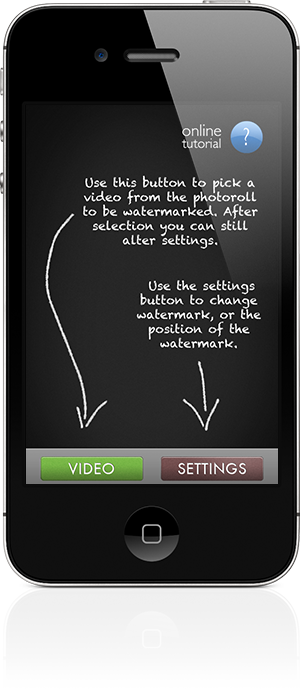
watermarker start screen iphone 4s
settings for fullscreen watermarks iphone 4s
settings logo example iphone 4s

Using text as watermark

Watermarker showing a preview of first frame and processing a video

Setting up a text picking one of the many available faces (over 160 provided by iOS 5)

Example of setting up a centered text
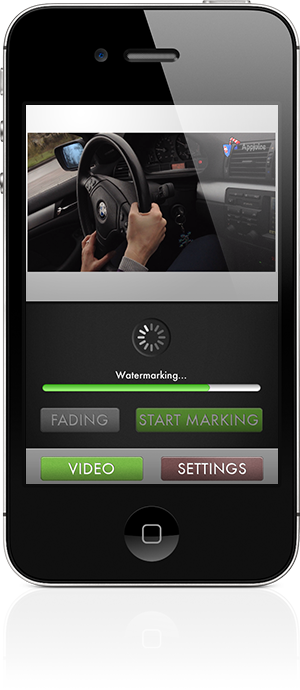
watermarker busy video processing iphone 4s
watermarker choosing font color textmark iphone 4s
watermarker settings for horizontally centered text iphone 4s

Some other screens
Optional settable fading in/out point and fade duration
Interface